



Description
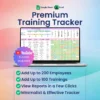
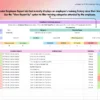
Tracking course history and regulatory compliance on paper or scattered files creates major administrative blind spots. This Employee Training Tracker solves that operational bottleneck by establishing a centralized system for your workforce records. Built to manage up to 200 staff members, 100 unique course topics, and 50 instructors, it eliminates manual maintenance and replaces expensive software installations with a clean, functional workspace.
Why This Employee Training Tracker Outperforms a Basic Spreadsheet
Starting from a blank sheet requires hours of formula construction and formatting that inevitably breaks. This template delivers a rigid data structure that protects your records while calculating timeline details automatically. Instead of cross-referencing multiple separate logs or chasing down expiration milestones, you get a unified operational repository that tracks development history from an employee’s hire date onward.
Smart Automation and Workflow Features
The core mechanics rely on built-in automation to cut down on routine data entry. Enter a training date once, and the automated due date synchronization instantly updates your schedules across the entire file. Activating or archiving staff profiles takes a single click, which immediately refreshes all linked organizational metrics. The background logic handles the heavy math, leaving you with a setup that requires no programming knowledge.
A Guided Tour of Your Spreadsheet
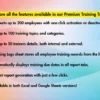
► Instruction Sheet: Clear guidelines explaining how to configure and use your file effectively.
► FAQ Tab: Quick references to address routine tracking scenarios.
► Menus Tab: The baseline setup layout where you establish your core organizational values.
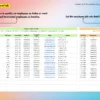
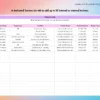
► Employee List Tab: A master management board to toggle active statuses for up to 200 team members.
► Trainers List Tab: A dedicated directory to maintain details for 50 internal or external instructors.
► Trainings Tab: Your complete course matrix, supporting up to 100 distinct categories.
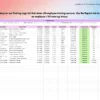
► Training Logs Tab: The historical archive where you input completion dates to build permanent compliance records.
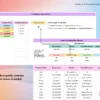
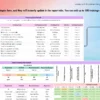
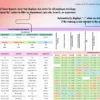
► Team Report Tab: An automated organizational overview perfect for generating high-level leadership summaries.
► Employee Report Tab: Individual development profiles optimized for performance evaluations and one-on-one reviews.
System Requirements and Compatibility
✓ Works on Google Sheets across web browsers, mobile apps, PC, tablets, iPad, laptops, Mac, and Windows.
✓ Works on Microsoft Excel version 2016 and newer for both Mac and Windows.
✗ Not compatible with Numbers, LibreOffice, or OpenOffice.
Frequently Asked Questions
How many staff members can I manage within this file?
The pre-built architecture supports up to 200 unique employees, 100 training categories, and 50 individual trainers simultaneously.
Do I need to build formulas or write code to use this spreadsheet?
No, all calculations and logic systems are fully programmed into the template so you can begin data entry immediately.
What specific files are delivered upon purchase?
You receive a single downloadable ZIP file containing the native formats for both Microsoft Excel and Google Sheets.
Reviews
There are no reviews yet.