



Description
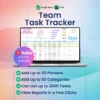
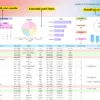
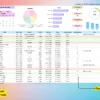
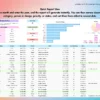
Scattered assignments, missed deadlines, and endless status check meetings happen when your workflow lacks a central source of truth. This Team Task Tracker Template solves that confusion by establishing a structured workspace where team members, priorities, and deadlines live together. Built with color-coded rows for visual updates, it includes a built-in Quick Report View to filter your operations and see exactly what is pending, completed, or cancelled without manual searching.
Why This Team Task Tracker Template Outperforms a Basic Spreadsheet
A basic blank sheet requires you to manually re-type names, copy color formatting, and rebuild logic strings every time you add a new project line. This template provides a pre-built structure that protects your calculations while offering customizable dropdown menus that support up to 50 entries. It maintains layout consistency and saves hours of maintenance work so you can manage your team instead of repairing broken formulas.
Smart Automation and Workflow Features
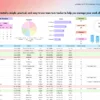
The background programming handles operational tracking so you do not have to update totals yourself. Charts and summary metrics refresh instantly the moment a task detail shifts. The spreadsheet utilizes automated status tracking to categorize assignments while allowing you to isolate critical information by filtering tasks by dates, categories, people in charge, priorities, and status.
A Guided Tour of Your Spreadsheet
► Guide: Setup documentation that explains how to configure and deploy the file for your team.
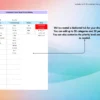
► Menus: The configuration dashboard where you customize up to 50 dropdown options for your team members, categories, and priority levels.
► Example Sheet: A pre-filled instance showing the tracking system, charts, and filtering layout in action.
► Blank Sheet: A clean master workspace designed to let you duplicate and create multiple separate trackers without wiping the original structure.
System Requirements and Compatibility
✓ Works on Google Sheets across web browsers, mobile apps, PC, tablets, iPad, laptops, Mac, and Windows.
✓ Works on Microsoft Excel version 2021 and newer for both Mac and Windows.
✗ Not compatible with Numbers, LibreOffice, or OpenOffice.
Frequently Asked Questions
How many names or categories can I add to the dropdown menus?
The pre-set configuration menus are fully customizable and support up to 50 unique entries for your team members and task classifications.
Can I run multiple separate project trackers with this download?
Yes, you can use the dedicated Blank Sheet to generate as many separate tracking sheets as your business needs require.
Does the sheet require manual work to update the metrics and charts?
No, all totals, status summaries, and visual charts refresh automatically as soon as you change or log your task data.


Reviews
There are no reviews yet.