


Description
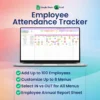
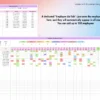
Logging attendance across unorganized spreadsheets or manual clipboards leads to calculation gaps and forgotten history. This Employee Attendance Tracker delivers a reliable structure to organize daily check-ins for up to 100 team members. What sets this file apart is its complete flexibility for regional operations, allowing you to define your own non-working days based on local weekend rules and customize all 8 status codes to match your specific corporate workflow perfectly.
Why This Employee Attendance Tracker Outperforms a Basic Spreadsheet
A basic grid forces you to manually count letters, fix broken lookup references, or buy a new layout whenever a calendar year rolls over. This tracker is completely undated and reusable, meaning you can launch it for any month or year indefinitely without rebuilding your baseline sheets. It locks your calculation infrastructure so you can register inputs instantly rather than troubleshooting cells.
Smart Automation and Workflow Features
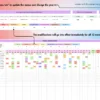
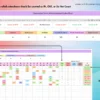
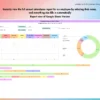
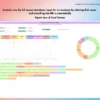
The core logic connects your daily updates directly to high-level visualizations behind the scenes. It records entries like present, absent, sick leave, holiday, work from home, late arrivals, early leavers, and no call no show. The spreadsheet calculates monthly IN vs OUT totals with a percentage breakdown automatically, while generating individual employee annual summaries outfitted with self-filling donut and bar charts.
A Guided Tour of Your Spreadsheet
► Instructions Tab: A practical step-by-step setup guide to prepare your tracking layout.
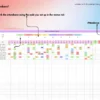
► Menu Tab: Your settings dashboard to change abbreviation codes and set global non-working days.
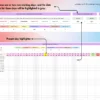
► Employee List: The administration log to manage names and records for up to 100 employees.
► 12 Monthly Tabs (Jan–Dec): Twelve dedicated daily attendance grids covering every single day of the year.
► Annual Report Tab: An automated dashboard that compiles records per person using self-generating visual charts.
System Requirements and Compatibility
✓ Works on Google Sheets across web browsers, mobile apps, PC, tablets, iPad, Mac, and Windows environments.
✓ Works on Microsoft Excel version 2016 and above for both Mac and Windows systems.
✗ Not compatible with Apple Numbers, LibreOffice, or OpenOffice platforms.
Frequently Asked Questions
Can I alter the default tracking codes to use our own internal labels?
Yes, the menu tab allows you to completely rename any of the 8 status codes to match your internal language.
How do I manage international weekend schedules that fall outside standard days?
You can customize the non-working days setting directly inside the configuration options to align with your specific country rules.
Do I need to download a separate sheet for future years?
No, the file is designed to be completely undated and reusable so you can run it forever for any period.


Kelly Marshall (verified owner) –
The spreadsheet was nice and served its purpose
Anna (verified owner) –
Good product,
Kara (verified owner) –
Grest product and easy to use!
Paul Baker (verified owner) –
Customer service was AWESOME! Happy with the template.
Stephanie Kelly Mckee (verified owner) –
Excellent quality thank you very much
Amanda (verified owner) –
Andrea (verified owner) –
Needed a personalized section. And they responded quickly.
Sonja (verified owner) –
Wonderful customer service! The file works excellent for the needs of my team. 🙂
A (verified owner) –
It’s very cute
Louise (verified owner) –
Great service again! Thanks for all your help with my changes.