


Description
Why This Employee Absence Tracker Outperforms a Basic Spreadsheet
Starting from a blank sheet means you are constantly adjusting date formulas, building new monthly grids, and fixing broken links between tabs. This Employee Absence Tracker eliminates that tedious upkeep by providing a structured layout that connects your monthly tracking directly to automatic reporting dashboards. Instead of typing out leave reasons or formulas repeatedly, your entire data structure stays locked and organized. You save hours of operational setup because the background logic is fully built out, giving you instant clarity on attendance trends instead of a formatting headache.
Smart Automation and Workflow Features
The Employee Absence Tracker uses automation to link your daily logs to high level overview dashboards completely behind the scenes. Once you establish your codes on the setup tab, the tracking sheets accept your inputs for full or half day metrics seamlessly. The spreadsheet automatically aggregates these entries, instantly updating the collective overviews and individual histories without requiring any manual summary calculations. This eliminates data entry bugs and ensures your staff records remain completely accurate throughout the year.
A Guided Tour of Your Spreadsheet
► Instructions: This sheet walks you through the initial setup so you can configure the workbook correctly from day one.
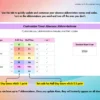
► Customisable Abbreviations Menus Tab: The main configuration page where you define your custom absence types and tracking codes.
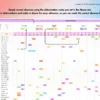
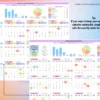
► Created tabs from January to December: Twelve individual monthly calendar sheets dedicated to recording daily full day and half day logs.
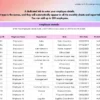
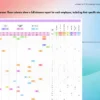
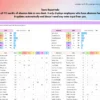
► Team Report Tab: A centralized dashboard that populates automatically to display everyone’s absences together in one clear view.
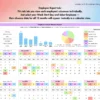
► Employee Report Tab: A dedicated lookup sheet that isolates and displays a single worker’s complete absence history.
System Requirements and Compatibility
✓ Works on Google Sheets across web, mobile, PC, tablets, iPad, laptop, Mac, and Windows.
✓ Works on Microsoft Excel version 2016 and above for both Mac and Windows.
✗ Not compatible with Apple Numbers, LibreOffice, or OpenOffice.
Frequently Asked Questions
Can I use my own internal company codes for different leave types?
Yes, you can use the customisable abbreviations menus tab to define your own custom abbreviation codes for any absence type.
How many staff members can I track within this single file?
The workbook is built to accommodate up to 200 employees across all monthly tracking and automated report tabs.
Do I need to purchase a new file when a new year begins?
No, you can start with any year you choose inside the file, making the spreadsheet completely reusable for future tracking periods.


Ranita (verified owner) –
Very quick and ready to use. I just adore this product
Fontella (verified owner) –
Incredible spreadsheet and EXCELLENT service. Highly recommend it!
Sarah (verified owner) –
Perfect for myself and my coworkers to keep track of our vacation time.
mamanb133 (verified owner) –
This spreadsheet is fantastic! Exactly what I need and the layout is amazing! Thank you
Lisa (verified owner) –
Thank you for this product!
Shannon (verified owner) –
Love this spread sheet, just wish it had more leave type options.
Beth (verified owner) –
10/10 works perfectly for my team. Thanks!
stayfrostyy (verified owner) –
Easy to use and works perfectly for what I needed. Will definitely get the 2025 version as well when available!
Renee (verified owner) –
I had a question and they got back to me right away an dI love using this program