




Description
Managing employee schedules doesn’t have to be complicated. Our Employee Weekly Schedule Template makes planning and tracking work shifts simple for any type of business. Whether you manage a retail store, a restaurant, a healthcare team, or a small office, this template helps you stay organized and avoid the usual scheduling headaches. It works in both Excel and Google Sheets, so you can use whichever tool suits you best.
What Is an Employee Weekly Schedule Template?
An employee weekly schedule template is a ready-to-use spreadsheet that helps you plan and assign shifts for your team. Instead of creating new schedules from scratch each week, you can update the template and share it with your employees in minutes. Everything stays in one place—work hours, roles, supervisors, and leave tracking.
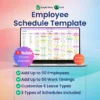
Our template is more than a simple table. It includes built-in dropdown menus, customizable work timings, and role assignments. You can manage up to 50 employees easily, and if you need more, the template can be expanded. It’s designed to save time, reduce mistakes, and give both managers and staff a clear overview of the workweek.
Why Use This Template?
Without a proper system, scheduling can quickly turn messy. You might double-book someone, miss a time-off request, or forget to assign a role. The Employee Weekly Schedule Template prevents these problems by providing a clear and structured format. It allows you to:
- Create schedules in minutes instead of hours.
- Avoid overlapping shifts and missed assignments.
- Share updates instantly with your team.
- Track vacations, sick days, or personal leave.
- Keep everything transparent and easy to follow.
Key Features
This template includes everything you need to stay on top of scheduling:
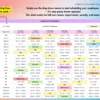
- Two schedule formats: a regular weekly schedule and a shift + role-based schedule.
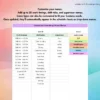
- Customizable menus where you can set work timings, supervisor names, roles, and leave types.
- Simple dropdown menus so you can assign shifts quickly without typing.
- Support for up to 50 employees, with easy options to expand.
- A step-by-step guide tab that explains how to set up and customize the template.
Who Can Use It?
The Employee Weekly Schedule Template works for many different types of teams and industries:
- Retail managers scheduling cashiers, stockers, or sales staff.
- Restaurant owners planning shifts for chefs, servers, and cleaners.
- Healthcare administrators assigning duties to nurses, technicians, and assistants.
- Project managers keeping track of team availability and deadlines.
- Small business owners who need a simple way to organize shifts without wasting time.
Compatibility
The template is designed to be flexible and easy to access:
- Works in Google Sheets on any device—phone, tablet, or computer.
- Works in Excel on Windows or Mac (2016 or newer).
- Not compatible with Apple Numbers, LibreOffice, or OpenOffice.
How to Use It
Getting started is simple:
- Download the Excel version or make a copy of the Google Sheets version.
- Add your business’s work timings, employee names, and roles to the menus.
- Assign shifts using dropdown menus.
- Share the schedule with your team by link (Google Sheets) or file (Excel).
Why Choose This Employee Weekly Schedule Template?
Not every scheduling tool is practical. Some are too complicated, while others are too basic. This template strikes the right balance. It’s easy enough for beginners, but powerful enough to handle real scheduling needs. You don’t need advanced Excel knowledge—just open the file, update it with your details, and you’re ready to go.
With this Employee Weekly Schedule Template, you’ll save hours of work each week, reduce errors, and make sure your employees always know when they’re scheduled. It’s a one-time purchase that gives you both Excel and Google Sheets versions, along with free updates whenever improvements are made.
Instead of struggling with messy spreadsheets or confusing calendars, try this template and see how much easier scheduling becomes. Clear, fast, and stress-free planning is now just a few clicks away.


Reviews
There are no reviews yet.