


Description
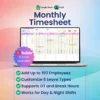
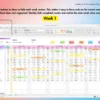
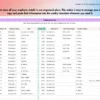
Manually managing work hours and cross referencing payroll figures every month causes tracking fatigue and preventable calculation errors. This Employee Monthly Timesheet Template provides a centralized system to organize hours worked, breaks taken, and leave types without the admin headache. Built with an easy to use pastel layout, it organizes operations for up to 100 team members while keeping day and night shifts documented accurately in one spot.
Why This Employee Monthly Timesheet Template Outperforms a Basic Spreadsheet
Building a scheduling log from scratch means writing complex time logic that breaks when dates change. This template contains a structured environment that updates all month dates completely on its own based on your selected start and end dates. It saves layout setup time and prevents formulas from breaking when a new calendar period begins, outperforming any standard blank sheet.
Smart Automation and Workflow Features
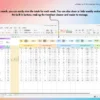
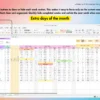
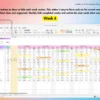
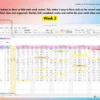
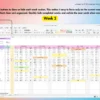
The formulas inside do the heavy lifting by compiling weekly and monthly total summaries automatically. When you input shift information, the sheet tracks regular hours, overtime hours, and overtime pay without manual intervention. It accommodates custom leave types and includes built-in macro buttons to show or hide weekly sections, plus an extra days section to handle longer months cleanly.
A Guided Tour of Your Spreadsheet
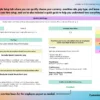
► Guide: Clear reference instructions to help you implement and manage your payroll hours.
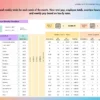
► Settings: The control hub where you define start dates, end dates, custom leave types, and core operational parameters.
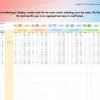
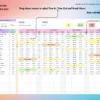
► Example Sheet: A fully populated model demonstrating how tracking entries should look for day and night shifts.
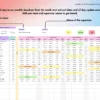
► Blank Sheet: Your clean template ready for fresh monthly data entry supporting up to 100 employees.
System Requirements and Compatibility
✓ Works on Google Sheets across web browsers, mobile apps, PC, tablets, iPad, laptops, Mac, and Windows.
✓ Works on Microsoft Excel version 2016 and newer for both Mac and Windows.
✗ Not compatible with Numbers, LibreOffice, or OpenOffice.
Frequently Asked Questions
How many staff members can I log inside this file?
The spreadsheet is pre-built to support up to 100 employees across its weekly and monthly tracking structures.
Does this template support night shifts and irregular hours?
Yes, the underlying logic supports both day and night shift tracking along with separate break time variables.
Can I modify the types of time off available in the file?
You can fully customize the leave options within the settings to match your team policy.


Reviews
There are no reviews yet.